Posts

Showing posts with the label MySite

SharePoint 2010 MySite in detail

Image
In general The SharePoint 2010 MySite has changed in major points to the one in SharePoint 2007. The most striking renewals are probably the tagging und activity features. The user can now tag, comment and rate his sites and documents. Since SharePoint 2010 has no longer a Shared Service Provider the MySite is now bound to the Profile Service. This means that the profile service must be running and configured before you can create a MySite. The MySite uses a special master page, the "mysite.master", which is activated by the feature MySiteLayouts and uploaded to the master page gallery of the MySite sitecollection. It's relatively easy to change and switch the masterpage either by hand or by feature. The sitecollection administrator can upload a masterpage to the masterpage gallery and easily switch the master. The good news for the frontend engineer is that the new mysite.master consists mostly of div layouts, so it is easier to style by css. But in general...
How to setup a Mysite in SharePoint 2010

Image
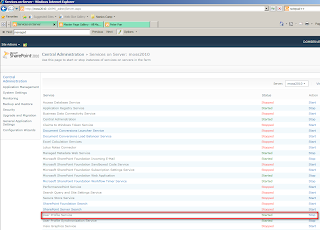
In this post I'll show you how to create and setup a mysite in SharePoint 2010. I will create a new webapplication for the mysite but you can also use an existing webapplication. Ensure yourself that the "User Profile Service" is running. The MySite needs this service to function. You can check the blog post " Configuring the User Profile Service " for more information. User Profile Service First of all if you want to host your mysite on a new webapplication create a new webapplication. Therefore go to the Central Administration -> Application Management -> Manage Web Applications . Here click on "New" in the ribbon above and create a new webapplication which will host the mysite. Create a new webapplication Properties of the mysite webapplication Now you have to configure a managed path, where all personal sites will be created. Normally we use "personal" as managed path.To create a managed path  go to Central Admi...