Posts

SharePoint - Link to file shares in Document Libraries
Image
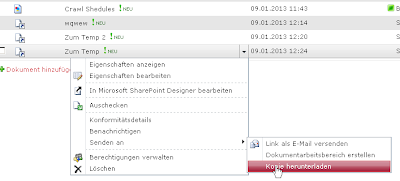
In SharePoint you can't create links to files like file://xxx/ because the link field type only accepts http:// or https://. If you use Internet Explorer in your company you can use a trick. The network shares are usually mapped to local drives like H:. It is better if you use directly the name of the mapped server folder instead of the local drive letter, so everyone can use the link. 1.Way - Redirect with html file Create an .html (or .aspx in SharePoint Online) file with the following code and upload it to your document library. It will open the html file which itself opens the folder or file in a new window. With history.back() it returns to your doc lib. <html> <body> <script type="text/javascript"> // mapped network folder H: var filer = "file://servername/e$/Folder1/Folder2/Data" // folder within the mapped (which you see in explorer) var folder = "/Folder3/Internal/projekts/security" ...

People Picker doesn't show single imported users

I had a strage issue last day. The people picker did not show single users from an imported AD group. I looked at the user profile store and could find the user. I started a full profile import and could find the user in the user profile database again. (I thought perhaps the account was deleted in the AD) But when I search for the user in the people picker the user could not be find. Other users from the same AD group could be found with no problem. After all the reason was that the account was not active. The people picker only searches for active user accounts. You can check if an account is active or not with the following dos command: net user *username* /domain | find "active" (Replace *username* with the loginname of the user)

SharePoint Datasheet View - The selected cells are readonly

Image
This happens because: The field is a read-only field The view has folder-content types You installed Office 2007 SP3 For the first issue you can use the tool "SharePoint Manage". Drill down to the field and change the property "ReadOnlyField" SharePoint Manager - Change Read-Only property For the second issue modify/create your list view and select in the Folder section "Show all items without folder" Modify View - Show item without folder The Solution for the third issue is to change the field type from Enhanced rich text (Rich text with pictures, tables, and hyperlinks) to Rich text (Bold, italics, text alignment). There seems to be also a fix from Microsoft   http://support.microsoft.com/kb/2598128  

SharePoint Enterprise Content Types and Contenty Type Hubs

Image
With Content Type Hubs in SharePoint 2010 you can now easily distrubute your content types over all webapplications and sitecollections. Now you can define a single sitecollection in which you manage your content types. All other sitecollections can consume from this site. 1. Create Content Type Hub Before you can use Enterprise Content Types you have to define a Content Type Hub. The Content Type Hub is a single arbitrary sitecollection. The probably best way is to create a new sitecollection with the blank site template for this purpose. 2. Configure Service After you have created the sitecollection you have to tell the service where to consume the content types. The service which manages the enterprise content types is the "Managed Metadata Service". If you dont't have this service, you have to create it first. If the service already exists follow these steps: Go to central administration Application Management Service Application - Manage service appli...

Limiting the SharePoint People Picker with PowerShell

Image
We had the problem that the searching after people in the Active Directory took very long. If you don't limit the people picker in SharePoint it searches the whole domain and all forests within. This can be very time consuming when the picker tries to resolve the names ( In out company about 1 minute). Therefore we decided to limit the people picker by domain. The problem is that you can define this limitation only on sitecollection level. This means that you have to do that each time you create a new sitecollection. I wrote a powerhell script which loops throught alle sitecollections and restricts the one, which do not already have a limitation. #Powershell for Changing People Picker Settings #Author I.Bikmaz #Add SharePoint SnapIn $snapin = Get-PSSnapin | Where-Object {$_.Name -eq 'Microsoft.SharePoint.Powershell'} if ($snapin -eq $null) { Write-Host "Loading SharePoint Powershell Snap-in" Add-PSSnapin "Microsoft.SharePoint....

Drill Down with the SharePoint Chart WebPart

Image
There is a new webpart in SP 2010, the chart webpart, which is very impressing. You can connect it to SharePoint List and WebParts. Today I wanted to drill down the pages when I click an element of the webpart. It seems that Microsoft bought this webpart from Dundas, so you have to look the syntax there http://support2.dundas.com/Default.aspx?article=1132 http://support2.dundas.com/Default.aspx?article=1205 Follow the steps: Step I Step II In step 3 click "next" also in step 4. In step 5 click on the "Hyperlinks and Tooltips" tab. Enter following Url to the fiels: http://yourdomain.com/yoursite/yourlist/allitems.aspx?Filterfield1=Title&FilterValue1=#LABEL whereas #LABEL is a keyword mentioned in the support links above

Hiding the title Field in SharePoint the simple way

Image
I find these two ways as the simplest: Using the SharePoint Manager Every SharePoint Admin should have the Sharepoint Manager . Just download it to you SharePoint Server and open it. No installation is needed. Drill down to the list you want to modify. If you click on the list all fields are show. You will see 4 Title fields. Select the Title field with the Internal Name "Title". You can check the internal name in the properties window on the right if you click on a field. Now change the values for "Hidden" to true and "Required" to false. Using Powershell I don't reinvent the wheel so look at " Phil Childs " site. There is a simple PowerShell script you can use to modify each field and of course also the title field.